Mobile vs PC Executors: Which Should You Use in 2026?
For years the answer to "PC or mobile?" was simple: PC. In 2026 it depends. Android executors got good enough that many players never touch a computer, while iPhone stayed hard. Here is how to decide.
Quick answer
If you play on Android, use a mobile executor: the install is short and most new scripts support it. If you already play on a Windows PC and want long sessions or heavy scripts, use PC. On iPhone or Mac, expect extra steps and more breakage, and consider whether it is worth it.
The five-question pick guide
- Do you already play Roblox on a Windows PC? Pick PC.
- Is your only device an Android phone or tablet? Pick mobile.
- Are you on a school or work computer where you cannot install software? Mobile, or nothing.
- Do you want to write your own scripts, not just run them? PC. Phone editors are too cramped.
- Do you only have an iPhone or a Mac? Read the iPhone section first. There is no simple option.
Side by side
| Android | iPhone | Windows PC | |
|---|---|---|---|
| Common executors | Delta, Codex, Ronix | Codex (varies) | Solara, Wave |
| Install | APK from the official site | Sideloading tools | Installer or zip |
| Typical warning | Unknown sources prompt | Untrusted developer | SmartScreen |
| Stability | Good, more crashes on low RAM | Breaks often | Best |
| Heavy scripts | Sometimes | Rarely | Yes |
Where mobile wins
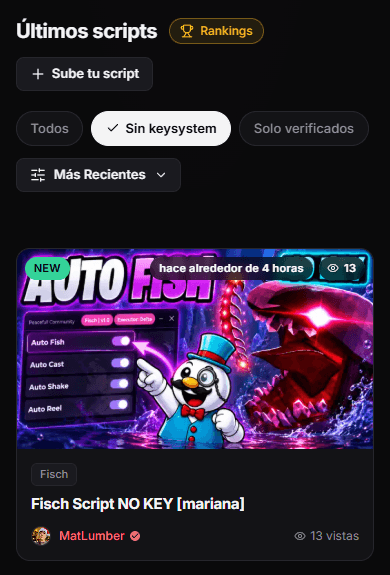
Most of the traffic on RblxScript comes from phones, and authors know it. Many new scripts are built mobile-first: big buttons, panels that fit a small screen and a single "copy" step. Our scripts library shows how many are live and lets you filter out scripts that need a key.
The Android install is also short. You download an APK, allow it once and open it. There is no antivirus fight like on Windows, although Google Play Protect may scan the file. That scan is a good thing, so let it finish.
The SpiderScripts channel has an English walkthrough of the Delta install for Android and iOS, if you want to see the whole flow first.
Where PC still wins
A PC has more memory and a real keyboard. Heavy hubs with dozens of tabs run more smoothly, and a long session is less likely to crash. It is also the only comfortable place to read a script before you run it. Pasting 600 lines into a phone editor is nobody’s idea of fun.
The catch is friction. Windows SmartScreen and your antivirus will complain about unsigned executors. Some of those warnings are false alarms, and some are not. You have to be sure the file came from the official source before you allow it.
The iPhone problem
Apple only lets you install apps from the App Store, with narrow exceptions. Executors are not in the App Store, so iPhone users rely on sideloading tools and on trusting a developer profile under Settings, General, VPN & Device Management. Apple can revoke those certificates, and when it does the app stops opening. Expect to reinstall from time to time.
Why phones crash more
Users report more crashes with mobile executors. The likely reason is memory. Roblox is already heavy, and a script with a big interface adds more. A few habits help:
- Close other apps before you open Roblox.
- Lower the Roblox graphics quality.
- Keep sessions short, and let the phone cool down between them.
- Prefer lighter scripts over giant all-in-one hubs.
Is one of them safer for your account?
Not really. Roblox bans the account, not the device, so a detection on your phone hits the same account you use on PC. What changes is the device risk. A fake APK can read what is on your phone, and a fake Windows executor can steal saved browser passwords. Both come from the same mistake: downloading from the wrong site.
The fix is the same on both. Use the official link, let the scan run and keep executors away from the device where you store important logins, if you can.
Common questions
Can I use an Android emulator on my PC?
Some players do. It adds another program you have to trust, and Roblox does not always run smoothly inside an emulator. If you have a Windows PC, a Windows executor is usually the simpler path.
Do scripts work the same on phone and PC?
Most one-line scripts do, as long as the executor supports them. The difference is the interface: a panel designed for a monitor can be too big for a phone. Check the compatibility list on the script page first.
Official sources and next steps
Google Play Protect (Google Help)
How Android checks apps installed from outside Google Play for harmful behavior.
Install custom enterprise apps on iOS (Apple Support)
Apple’s explanation of developer trust profiles, the mechanism iPhone sideloading relies on.
Download Delta for Android
The Delta page on RblxScript, with the install steps and the current build.
Best executors of 2026
Full breakdown of the most common executors on PC and mobile.
Delta setup guide
Step by step Delta install for Android, plus the iOS situation.