How to Spot a Fake Delta APK and Download from the Official Link
A fake Delta APK usually comes from a lookalike website, promises something the real one does not ("premium", "key forever", a version number that does not exist yet) and asks for Android permissions a Roblox client has no use for. The real Delta is published by its own project, and on RblxScript the Delta page is the one place we point to.
Delta is not on Google Play or the App Store. You install it as an APK, which is exactly why copies full of malware are so common. The executor itself is not the main risk. The risk is the site you got it from.
Why fake Delta APKs are everywhere
Search for "Delta executor download" and you get pages of results that all claim to be official. In a September 2026 search we saw domains like deltaexecotr.com, deltaexicutor.com, deltaexectr.com and deltaexecutorss.com. Look closely: letters swapped, dropped or doubled. None of them is the project's own site, deltaexploits.gg.
Some of those copies may be harmless re-uploads. Others are repacked: the original APK with extra code bolted on. Security sites that review these downloads keep pointing at the same thing. Spyware, keyloggers and hidden background apps ride in on modified copies, not on the official build.
Money is another tell. Delta is free to download, on Android and on iPhone. A site that sells a "VIP" or "lifetime" Delta build is selling you something the project never made. Our Delta setup guide also covers how iPhone installs work and why their profiles can stop working.
Seven signs of a fake Delta APK
- The domain is almost right. One letter off, an extra hyphen, "official" or "download" stuck to the name.
- The version is ahead of reality. If the project is on 2.738 and a site offers 2.745, that build did not come from Delta.
- It promises "premium unlocked", "no key forever" or "undetected". No website can hand you a permanent unlock: even the no-key method in the channel's videos warns that Delta may ask for a renewal later.
- It asks you to install another app first, a "downloader" or "installer" from the same site.
- The file is not an APK: an .exe, a password-protected .zip or a .apk.zip bundle.
- After installing, Android asks for Accessibility access, SMS, device administrator or notification access. A Roblox client does not need any of that.
- A page asks for your Roblox username and password to "activate" it. Nothing legitimate ever does.
Sign 6 is the most serious one. Accessibility access lets an app read your screen and tap for you. Banking malware on Android asks for exactly that. If a "Delta" asks for it, uninstall it right away.
How to get Delta from the official link
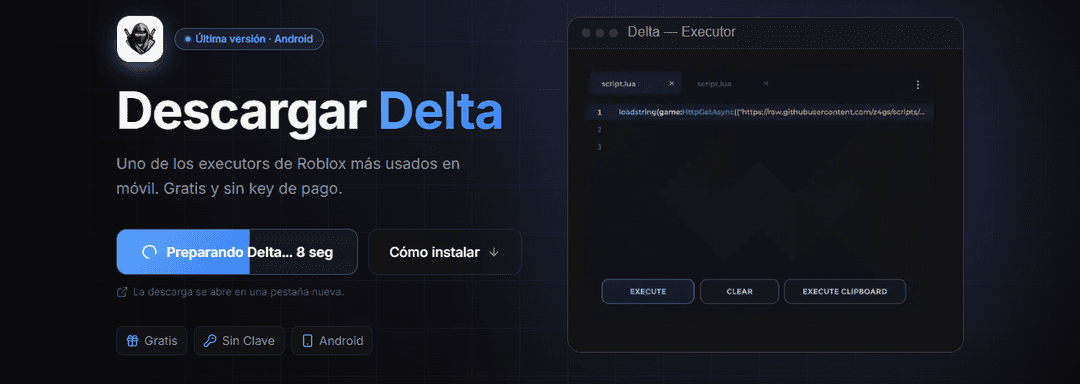
- Start from a page you trust, not from a search result. On RblxScript that is the Delta page or the executors directory.
- Check the address bar before tapping download. The project domain is deltaexploits.gg.
- Before installing, uninstall the regular Roblox app. The channel's Delta 2.735 video mentions this to avoid install errors.
- Let Google Play Protect scan the APK when Android offers it. Play Protect checks apps from outside Google Play for harmful behavior.
- For a second opinion, upload the file to VirusTotal, which runs it past dozens of antivirus engines.
How to read an antivirus result
Expect a few flags even on the real file. Executors inject code into Roblox, and antivirus engines often label that "riskware" or "hacktool". That label is about what the app does to the game. A label like "Trojan.SMS", "Banker" or "Spyware" is a different story: it describes what the app does to you. Delete that file.
What the channel videos show
The MatLumber channel has two recent Delta videos for Android. The one for version 2.735 (September 3) walks through removing Roblox, installing Delta, signing in and getting through the key step. The one for 2.738 (September 15) starts from the Bublox Hub app on Google Play, finds Delta there and uses the Delta Hub app to handle the key link.
If you already installed a fake
- Uninstall the app. If Android will not let you, go to Settings, remove it as a device administrator, then uninstall.
- From a different device, change your Roblox password.
- Turn on 2-Step Verification, ideally with an authenticator app, and sign out of all other sessions from the Security tab.
- Change the password of the email linked to Roblox too, and of any account where you used the same password.
- If you lost access, Roblox Support asks for the first email added to the account or the billing email of the first purchase. Contact them within 30 days if items were stolen.
Download Delta on RblxScript
The Delta page the site keeps pointed at the current download.
Delta setup guide for Android and iOS
Install steps, first script and common failures.
Sources
Google: use Google Play Protect
How Play Protect scans apps installed from outside Google Play.
Roblox Support: my account was hacked
Remove malware, reset the password, enable 2SV and recover the account.
Many exploits are scams to get you to download malware, such as a keylogger or other phishing program that can be used to steal personal information you have on your computer, including your Roblox password.